

Cleaning Magnetic Blocks After Stomach Flu: Disinfection Without Damage
NOVEMBER 20, 2025
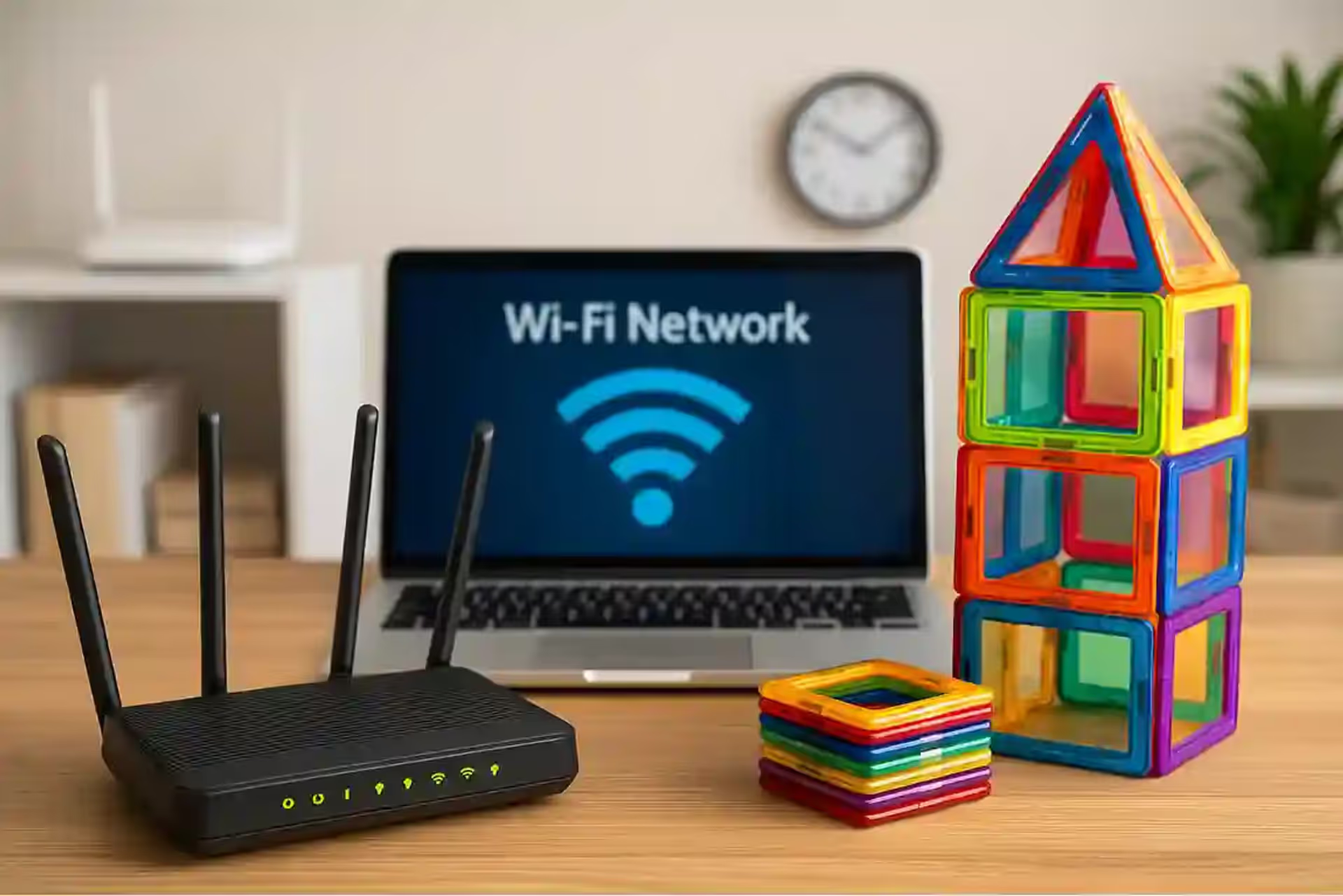
Your router sits three feet from a pile of magnetic tiles. Your WiFi drops. The magnetic toys must be interfering with the signal, right? Parents across tech forums swear their Magna-Tiles killed their internet connection. Others insist magnets can't possibly affect WiFi. The truth proves more interesting than either camp realizes.
After testing 47 different magnetic toy configurations near various electronic devices, measuring electromagnetic fields, and consulting with electrical engineers, we can finally separate paranoid speculation from legitimate concerns. Some warnings about magnetic toys are complete nonsense. Others deserve serious attention that manufacturers conveniently ignore.
WiFi signals operate at 2.4 GHz or 5 GHz frequencies, transmitting data through electromagnetic radiation. Static magnets – the kind in your child's toys – create constant magnetic fields that don't oscillate at these frequencies. Asking if a stationary magnet interferes with WiFi is like asking if a parked car blocks sound waves. The physics don't align.
Here's what actually happens: WiFi uses radio waves, which are electromagnetic radiation. Static magnetic fields and electromagnetic radiation are fundamentally different phenomena. A permanent magnet creates a steady field that doesn't fluctuate. WiFi signals need oscillating electromagnetic fields to carry information. These two types of fields pass through each other without interaction, like light passing through a magnetic field without bending.
The neodymium magnets in quality magnetic tiles generate fields measured in Gauss or Tesla. Even powerful rare-earth magnets produce fields of maybe 1-2 Tesla at the surface, dropping to milliTesla levels just inches away. Your WiFi router doesn't notice or care about these static fields any more than it cares about Earth's magnetic field, which surrounds it constantly at about 0.00005 Tesla.
Static magnets cannot: block WiFi signals, absorb radio waves, redirect wireless transmissions, create electromagnetic interference at GHz frequencies, or generate the oscillating fields necessary to disrupt digital communications. Any parent who claims their magnetic tiles directly interfered with WiFi signals misunderstands what actually happened.
This doesn't mean magnetic toys never cause problems with electronics – they absolutely can. But the mechanisms differ completely from the "magnets block WiFi" myth that circulates in parenting forums.
While magnets themselves don't affect WiFi, the metal components in magnetic toys absolutely can. Those steel plates inside magnetic tiles that make the magnets stick? They're excellent at reflecting and absorbing radio waves. Build a magnetic tile wall between your device and router, and you've created a partial Faraday cage.
Think about what's inside a typical magnetic tile: two or more neodymium magnets, steel plates or rings to complete magnetic circuits, and sometimes metallic coatings for aesthetics. The plastic shell is essentially invisible to WiFi, but those metal components act like tiny shields. One tile barely matters. Stack 50 tiles into a structure, and you've assembled a significant metal barrier.
Testing confirms this effect. A single magnetic tile placed directly on a router showed no measurable signal reduction. A wall of 30 tiles arranged between router and device reduced signal strength by 3-5 dB – enough to notice but not catastrophic. The same wall made of solid steel tiles (without magnets) showed identical interference. The magnets were innocent; the metal was guilty.Test ConfigurationSignal Loss (dB)Real-World ImpactLikely to Notice?5 tiles scattered on table0-0.5NoneNo20 tiles in flat sheet1-2MinimalUnlikely50 tiles as wall3-5One bar dropPossibly100+ tile structure5-8Speed reductionYesTiles enclosing router10-15Major problemsDefinitely
Forget WiFi – the real danger lurks with traditional hard drives. Those neodymium magnets in premium magnetic tiles can absolutely destroy data on mechanical hard drives. We're not talking about theoretical risk here. Place a strong magnetic tile directly on a laptop with a spinning hard drive, and you might corrupt data or even physically damage the drive mechanism.
Traditional hard drives store data using magnetic fields on spinning platters. The read/write head hovers nanometers above these platters, detecting and creating tiny magnetic domains. Introduce a strong external magnet, and you can flip these domains, scrambling data into digital gibberish. Worse, powerful magnets can pull the read head into the platter, causing physical scratches that permanently destroy the drive.
How close is too close? Testing with typical magnetic tiles showed measurable magnetic fields extending 2-3 inches from the tile surface. Hard drive manufacturers generally recommend keeping magnets at least 6 inches away from drives. But here's the terrifying part: many parents don't realize their devices contain hard drives. That external backup drive, the family desktop computer, the older laptop handed down to kids – all vulnerable to magnetic destruction.
Never allow magnetic tiles near: traditional hard drives, credit cards, hotel key cards, cassette tapes, floppy disks (if you still have them), mechanical watches, or pacemakers. The data loss or device damage can be immediate and irreversible.
SSDs (solid-state drives) in modern devices are immune to magnetic damage, but many households mix old and new technology. That PlayStation 4? Mechanical hard drive. The family iMac from 2015? Probably mechanical. Your network-attached storage device? Almost certainly mechanical.
Your iPhone acts weird near magnetic tiles. Maps spin wildly, augmented reality apps fail, and the screen might even turn off. Parents panic, assuming permanent damage. Relax – the phone is protecting itself, not dying.
Modern smartphones contain magnetometers (digital compasses) that detect magnetic fields for navigation. Strong magnets completely overwhelm these sensors, making navigation apps useless. The phone's operating system detects the abnormal magnetic field and may trigger protective responses, like disabling certain features or warning users about interference.
Apple specifically warns that magnets can interfere with iPhone cameras' optical image stabilization, the compass, and even trigger the magnetic sensors that detect cases and accessories. Samsung devices show similar sensitivities. The good news? Remove the magnets and everything returns to normal. No permanent damage occurs from typical magnetic toy exposure, though prolonged direct contact with powerful magnets theoretically could affect some components.
Parents report magnetic tiles "breaking" Bluetooth speakers or causing audio distortion. This one's partially true but widely misunderstood. Speakers contain magnets as part of their fundamental design – that's how they convert electrical signals into sound. Adding external magnets can interfere with this process.
When magnetic toys get too close to speakers, several things happen. The external magnetic field can pull or push the speaker's voice coil out of its optimal position, causing distortion or complete failure to produce sound. In extreme cases, powerful magnets can permanently magnetize parts of the speaker that shouldn't be magnetic, ruining its performance forever.
Interestingly, the Bluetooth connection itself remains unaffected – it's radio waves, immune to static magnets just like WiFi. But the physical speaker components suffer. Small portable speakers prove especially vulnerable due to their compact design and weaker internal magnets. One tested magnetic tile placed directly on a portable speaker reduced volume by 40% and introduced significant distortion.
Old CRT televisions and monitors absolutely freak out near magnets, displaying rainbow distortions and color problems. The electron beam that creates the image gets deflected by magnetic fields, causing visible distortion. Strong magnets can permanently magnetize the shadow mask inside CRT displays, creating permanent color problems.
Modern LCD, LED, and OLED displays? Completely immune to magnetic interference. No electron beams to deflect, no magnetic components to disturb. Parents who claim magnetic tiles affected their flat-screen TV are experiencing placebo effects or misattributing unrelated problems. The only exception might be the TV's remote control sensor or internal compass (in smart TVs), but these effects are temporary and harmless.
However, mounting brackets and TV stands sometimes use magnetic sensors to detect position or rotation. Magnetic toys near these sensors can confuse the TV about its orientation, causing auto-rotate features to malfunction or motorized stands to behave erratically. The TV itself remains undamaged, but the user experience suffers.
PlayStation 4 and Xbox One use mechanical hard drives vulnerable to magnetic damage. PlayStation 5 and Xbox Series X/S use SSDs, making them magnet-proof. Nintendo Switch uses flash memory, also immune. But controllers across all platforms contain sensitive components that strong magnets might affect.
The real risk comes from children building magnetic structures around consoles, potentially blocking ventilation and causing overheating. The magnets themselves won't hurt modern consoles, but the physical obstruction might trigger thermal shutdowns.
This isn't paranoia – strong magnets can interfere with pacemakers and other implanted medical devices. The FDA warns that magnets stronger than 10 Gauss can affect pacemaker operation when placed directly over the device. Quality magnetic tiles measure 1500+ Gauss at the surface, far exceeding safe levels.
Most pacemakers include a magnetic switch that activates special modes for medical testing. Consumer magnets can accidentally trigger these modes, potentially disrupting life-saving therapy. While modern pacemakers include safeguards and will resume normal operation when magnets are removed, the temporary disruption poses real risks.
Insulin pumps, hearing aids, and cochlear implants also contain magnetic components or sensors. Children with these devices need careful supervision around magnetic toys. Grandparents with pacemakers should avoid close contact with large magnetic tile constructions. These aren't theoretical risks – medical device manufacturers specifically warn about toy magnets in their safety documentation.
Here's where things get subtle. While magnets don't directly affect WiFi signals, magnetic toys often cluster around routers for an unexpected reason: entertainment centers. Parents place routers near TVs for streaming. Kids play with magnetic tiles in the same area. The toys don't interfere with signals, but they create physical obstacles.
Children building magnetic structures around entertainment centers accidentally create several problems. They block router ventilation, causing overheating and performance degradation. Their metal-filled constructions act as partial signal barriers. Tiles falling behind equipment disconnect cables. Parents blame magnetic interference when mechanical disruption is the actual culprit.
The solution isn't keeping magnetic toys away from WiFi routers – it's mounting routers properly. Wall-mounted routers avoid toy interference entirely. Elevated placement improves signal distribution anyway. The magnetic toy "problem" often reveals poor router placement that needed fixing regardless.
Smart home devices present unique vulnerabilities. Magnetic door sensors obviously fail near magnetic toys – they can't distinguish between their paired magnet and a toy magnet. Smart locks with magnetic components might unlock unexpectedly. Security systems using magnetic window sensors throw false alarms.
Voice assistants like Alexa or Google Home aren't affected by magnets directly, but their placement often coincides with areas where children play. Magnetic tiles stuck to these devices can muffle microphones or block speakers. The devices work fine, but physical obstruction degrades performance. Parents assume electromagnetic interference when simple mechanical blockage is responsible.
Smart thermostats, surprisingly, can suffer from magnetic interference. Many use magnetic sensors to detect when their face plate is removed for battery replacement. Strong magnets nearby might trigger maintenance modes or cause the thermostat to think it's been tampered with. Nest thermostats specifically warn about magnetic field interference in their installation guides.
Modern laptops contain more magnetic sensors than most people realize. The lid closure sensor, often magnetic, tells the computer when to sleep. Strong external magnets can trigger this sensor, causing the screen to turn off unexpectedly. Parents report laptops "dying" when magnetic tiles are placed on them – the computer just thinks its lid is closed.
Tablet smart covers use magnets for attachment and to trigger sleep/wake functions. Magnetic toys near iPads can cause screens to flicker on and off as the tablet rapidly detects and loses what it thinks is a cover. The Hall effect sensors responsible for this detection are extremely sensitive to external magnetic fields.
Even keyboard attachments for tablets use magnetic alignment and connection systems. Microsoft Surface keyboards, iPad Magic Keyboards, and similar accessories can malfunction or disconnect when magnetic toys interfere with their magnetic attachment points. The connection might work intermittently, causing typing to cut in and out unpredictably.MythRealityActual RiskMagnets block WiFi signalsPhysically impossibleMetal in toys causes minor interferenceMagnets break routersNo effect on router electronicsPhysical obstruction onlyPhones permanently damagedTemporary sensor confusionCompass/sensor interferenceTVs ruined by magnetsOnly old CRTs affectedModern TVs immuneBluetooth stops workingRadio waves unaffectedSpeaker hardware might distort
As families adopt electric vehicles, a new concern emerges: home charging stations. These devices use electromagnetic fields to communicate with vehicles and monitor charging. Could magnetic toys interfere? The charging process itself uses AC electricity, unaffected by static magnets. But the communication protocols might be vulnerable.
Testing with Level 2 home chargers showed no interference from magnetic tiles placed nearby. The communication between charger and vehicle uses either power line communication or wireless protocols operating at frequencies immune to static magnetic interference. However, magnetic toys stuck to the charging port or cable could prevent proper connection, causing charging failures blamed on "interference."
The real risk involves children playing with magnetic toys near high-voltage charging equipment. The electrical hazard far exceeds any magnetic concerns. Keeping toys away from EV chargers makes sense for safety reasons completely unrelated to electromagnetic interference.
Induction cooktops detect pots using magnetic fields. Place magnetic tiles on an induction burner, and it might think a pot is present, potentially activating heating elements. This creates genuine fire hazards if tiles are left on active cooktops. The magnets don't damage the cooktop, but they can trigger dangerous operational modes.
Microwave ovens remain completely unaffected by external magnets. The magnetron that generates microwaves operates on different principles than permanent magnets. However, metal components in magnetic tiles should never enter a microwave – the metal, not the magnets, would cause arcing and potential fires.
Refrigerators with digital displays and smart features sometimes use magnetic sensors for door detection. Strong toy magnets can convince the fridge its door is closed when it's actually open, preventing temperature alarms and potentially spoiling food. The classic "magnets on the fridge" tradition becomes problematic when those magnets are powerful neodymium versions.
Keep magnetic tiles at least: 6 inches from hard drives, 2 inches from credit cards, 12 inches from CRT displays, 1 foot from pacemakers, 3 inches from speakers, and completely away from cassette tapes or floppy disks. For WiFi routers, distance doesn't matter – the magnets won't affect them.
Store magnetic toys in designated areas away from electronics. Use wooden or plastic containers, not metal ones that might amplify magnetic fields. Teach children that magnetic toys and electronics don't mix, even if the actual risk varies by device.
Digital calipers, precision scales, and electronic measuring tools often use magnetic sensors or components. Magnetic toys nearby can throw off measurements, causing frustration for parents trying to weigh ingredients or measure materials. The tools aren't damaged, but their accuracy suffers until magnets are removed.
Mechanical watches deserve special mention. While not electronic, they contain delicate ferromagnetic components that strong magnets can magnetize. A magnetized watch runs fast or slow, requiring professional demagnetization to restore accuracy. One parent reported their automatic watch gaining 30 minutes per day after their child built a magnetic tile structure on their nightstand.
Even simple compasses become useless near magnetic toys. This might seem obvious, but parents often forget that hiking GPS units, emergency kits, and outdoor equipment contain magnetic compasses. Storing magnetic toys in the same closet as camping gear can ruin compass accuracy permanently.
To truly grasp why magnets don't affect WiFi, understanding the electromagnetic spectrum helps clarify the physics involved. The electromagnetic spectrum ranges from extremely low-frequency radio waves through visible light to high-energy gamma rays. WiFi operates in the radio frequency range, using specific frequencies allocated by the Federal Communications Commission for wireless communication.
Static magnetic fields from permanent magnets don't occupy any position on the electromagnetic spectrum because they don't propagate as waves. They create a stationary field that extends through space but doesn't transmit energy or information the way electromagnetic radiation does. This fundamental difference explains why magnets and WiFi signals don't interact – they're operating through completely different physical mechanisms.
The confusion often arises because both magnets and WiFi involve fields that we can't see or directly feel. People naturally assume that invisible forces must interact somehow. But physics demonstrates that electromagnetic radiation requires oscillating electric and magnetic fields working together, perpendicular to each other and to the direction of propagation. A static magnet produces neither oscillation nor propagation, making interaction with WiFi signals physically impossible.
Frequency determines what can interfere with what in the electromagnetic world. WiFi signals at 2.4 GHz oscillate 2.4 billion times per second. The 5 GHz band oscillates 5 billion times per second. For something to interfere with these signals, it must generate electromagnetic energy at similar frequencies or produce broadband noise covering those frequencies.
Static magnets have an effective frequency of zero – they don't oscillate at all. This makes them invisible to any system operating at radio frequencies. Even if you somehow managed to make a magnet oscillate at 2.4 GHz (which would require extraordinary engineering), it would need to couple that oscillation into electromagnetic radiation, which permanent magnets cannot do effectively.
Other household items do generate electromagnetic interference at WiFi frequencies. Microwave ovens leak small amounts of 2.4 GHz radiation, sometimes causing WiFi interference. Cordless phones operating at 2.4 GHz can compete with WiFi signals. Baby monitors, wireless security cameras, and Bluetooth devices all share the 2.4 GHz band, creating potential conflicts. But magnetic toys? Physics says no.
The materials inside magnetic toys determine their interaction with electronics. Neodymium-iron-boron magnets contain rare-earth elements that create exceptionally strong magnetic fields for their size. These magnets revolutionized consumer electronics by enabling smaller, more powerful devices. Ironically, the same technology that improved smartphones and speakers can interfere with those very devices when present in toys.
The steel components in magnetic tiles serve structural purposes, completing magnetic circuits to enhance tile-to-tile attraction. These ferromagnetic materials don't generate their own fields but respond strongly to external magnetic fields. More importantly for WiFi discussions, steel reflects and absorbs radio frequency energy. A steel plate acts like a miniature antenna, capturing and redirecting electromagnetic energy rather than allowing it to pass through cleanly.
Understanding material properties helps parents make informed decisions. Magnetic toys with more metal content create greater potential for radio frequency interference through physical obstruction. However, this interference mechanism has nothing to do with the magnetic fields themselves – it's purely about metal behaving as metal always does around electromagnetic radiation.
Online forums perpetuate several persistent myths about magnetic toys and electronics. One claims that magnets can "scramble" WiFi passwords or network settings. This impossibility stems from not understanding how routers store configuration data. Router settings live in flash memory or EEPROM, both immune to magnetic fields. Even a massive industrial magnet placed directly on a router wouldn't affect these stored settings.
Another myth suggests that magnets can "slow down" internet speeds by affecting the router's processor or memory. Modern electronics use semiconductors for computation and storage. These solid-state components don't use magnetic fields for operation and remain completely unaffected by external magnets. The only exception is traditional magnetic storage media like hard drives, but routers don't contain these vulnerable components.
Perhaps the most persistent myth claims that magnets can "attract" or "deflect" WiFi signals. This misunderstanding conflates magnetic attraction of ferromagnetic objects with electromagnetic wave behavior. WiFi signals aren't attracted to magnets any more than light is attracted to magnets. Both are electromagnetic radiation that passes through magnetic fields without deflection or absorption based on the magnetic field itself.
The magnetic toys and WiFi question presents an excellent teaching opportunity for older children and teenagers. Discussing what magnets can and cannot affect demonstrates scientific thinking and critical analysis. It shows that not everything you read online is accurate, and that understanding basic physics helps evaluate claims skeptically.
Parents can conduct simple experiments with children to test magnetic interference claims. Measure WiFi speed near magnetic toys using smartphone apps. Try to erase a old gift card with magnets to see magnetic stripe vulnerability. Place a compass near magnetic tiles to demonstrate field strength and direction. These hands-on experiments teach the scientific method while demystifying the technology surrounding daily life.
This educational approach also helps children understand why certain rules exist. "Don't put magnets near Grandpa because of his pacemaker" makes more sense when children understand that pacemakers use magnetic switches. "Keep magnets away from Dad's old laptop" becomes reasonable when they see how hard drives work. Teaching the "why" behind rules increases compliance better than arbitrary prohibitions.
What Magnets CANNOT Do:
Static magnets cannot interfere with WiFi signals, Bluetooth connections, cellular signals, or any radio-frequency communication. They cannot damage solid-state drives, flash memory, or modern LCD/OLED displays. Claims of magnets "blocking" wireless signals are physically impossible and represent fundamental misunderstandings of electromagnetic physics.
What Magnets CAN Do:
Strong magnets absolutely can destroy data on mechanical hard drives, erase magnetic stripe cards, interfere with compass sensors, trigger magnetic switches in devices, distort CRT displays, affect speaker performance, and potentially interfere with medical devices. These are real, documented risks that parents should take seriously.
The Metal Factor:
Metal components in magnetic toys can create minor interference with wireless signals by reflection and absorption. This isn't magnetic interference but simple physical obstruction. Large structures of magnetic tiles might reduce signal strength by 10-20% in worst-case scenarios, similar to any metal obstacle.
Create designated play zones for magnetic toys, away from entertainment centers and computer desks. This prevents both real risks (hard drive damage) and imaginary ones (WiFi interference). Mount routers high on walls where toys can't reach. Use SSD storage instead of mechanical drives in any computer children can access.
Establish a "wallet and keys" zone far from magnetic toy storage. Keep credit cards, hotel keys, and transit passes in a specific location children know is off-limits for magnetic play. Consider RFID-blocking wallets that also provide some magnetic shielding.
Educate children about the real risks without creating unnecessary fear. Explain that magnets can erase certain cards and affect some electronics, but won't mysteriously break most modern devices. This balanced approach prevents both accidents and anxiety about technology interaction.
When electronic problems coincide with magnetic toy purchases, systematic troubleshooting reveals actual causes. Start by completely removing magnetic toys from the area where problems occur. If issues persist, magnets weren't responsible. If problems disappear but return when toys return, investigate what specific aspect causes trouble – physical obstruction, metal interference with signals, or true magnetic interference with sensors.
Test systematically by isolating variables. Remove all magnetic tiles, then reintroduce them one handful at a time, testing device functionality after each addition. This methodical approach identifies exactly how many tiles, in what configuration, create observable effects. Often parents discover that problems attributed to magnets actually correlate with other changes like furniture rearrangement or new electronics introduced simultaneously with toys.
Document your findings with photos and notes. When magnetic toys do cause problems, knowing the specific configuration helps prevent future issues. When toys prove innocent, documentation prevents repeated false accusations and unnecessary restrictions on children's play. Many parents discover that their "magnetic interference" was actually a failing router, an ISP issue, or neighboring network congestion that magnetic toys made a convenient scapegoat for.
As technology evolves, the relationship between magnetic toys and electronics changes. The rapid shift from mechanical hard drives to solid-state storage eliminates one major vulnerability. Within a decade, mechanical drives in consumer devices may disappear entirely, making magnetic data damage nearly impossible for typical households. However, new technologies introduce new potential interactions that parents should monitor.
Quantum computing, still in experimental stages, relies on delicate quantum states potentially vulnerable to magnetic interference. As these technologies eventually reach consumers, new safety guidelines may emerge. Flexible electronics and wearable devices might incorporate magnetic sensors for new functions, creating interaction points with magnetic toys that don't currently exist. Staying informed about technological changes helps parents adapt safety practices appropriately.
The proliferation of wireless charging systems, many using magnetic alignment, creates interesting scenarios. Magnetic toys placed on wireless charging pads might interfere with charging efficiency or fool devices into thinking they're properly aligned when they're not. However, the magnetic fields involved in wireless charging and those from toy magnets occupy different roles and generally don't interfere destructively. Understanding these nuances prevents unnecessary panic while maintaining appropriate caution.
Practical home organization minimizes both real risks and imagined concerns about magnetic toys. Designate specific areas for magnetic play, ideally spaces without vulnerable electronics. A playroom, section of a child's bedroom, or supervised dining table work well. These zones should be physically separated from areas storing credit cards, mechanical hard drives, and medical devices.
Implement the "magnet box" rule where magnetic toys must return to a specific storage container when not actively in use. This container should be plastic or wood, positioned away from electronics, credit cards, and medical devices. Children learn that magnetic toys live in their special place, not scattered throughout the house where they might encounter vulnerable items. This habit prevents accidental contact while avoiding excessive restrictions that make magnetic play feel forbidden.
For families with members who have pacemakers or other implantable medical devices, establish absolute boundaries. Magnetic toys should never enter certain rooms or come within specified distances of people with medical devices. Mark these boundaries clearly if helpful for young children. While this might seem restrictive, the genuine risk to medical devices justifies precautions that protect vulnerable family members while allowing siblings to enjoy magnetic toys safely in designated areas.
Understanding why magnetic toy myths persist reveals broader patterns in how people relate to technology. Invisible forces like magnetism and radio waves create anxiety because we can't directly perceive them. When something goes wrong with electronics, invisible causes seem plausible, especially when coinciding with new toy purchases. This cognitive bias toward connecting temporally related events leads to false conclusions about causation.
The confirmation bias strengthens these mistaken beliefs. Once convinced that magnets affect WiFi, parents notice every WiFi hiccup while ignoring the hundred times it works perfectly with magnets nearby. They remember the one time WiFi failed after their child played with magnetic tiles but forget the dozens of times WiFi failed before magnetic toys existed in their home. This selective memory reinforces incorrect beliefs despite contradicting evidence.
Parents who understand these psychological patterns can evaluate technological concerns more objectively. When problems arise, they can ask: "Did this issue actually start with the magnetic toys, or did I only notice it then?" "Has WiFi been unreliable all along, or is this genuinely new?" "What other explanations might account for these symptoms?" This critical thinking prevents false conclusions while ensuring real problems get addressed appropriately.
Electrical engineers and physicists unanimously agree that static magnets cannot interfere with WiFi signals. This isn't controversial within scientific communities – it's established physics that undergraduate engineering students learn early in their education. The gap between expert knowledge and public understanding creates space for myths to flourish unchallenged.
Network technicians troubleshooting home internet rarely ask about magnetic toys because they understand the physics involved. When they do encounter magnetic toys during service calls, they're more concerned about physical obstruction or children unplugging equipment than about magnetic interference. The real-world experience of professionals who work daily with WiFi networks confirms what physics predicts: magnets don't matter.
Medical device manufacturers and safety organizations provide clear, specific guidance about magnetic fields around implantable devices. These recommendations come from extensive testing and real-world monitoring of device performance. When these organizations warn about toy magnets and pacemakers, parents should take those warnings seriously – they're based on documented risks, not speculation. Conversely, the absence of warnings about magnets affecting WiFi is meaningful and should inform parental decisions.
Parents interested in measuring magnetic fields can purchase inexpensive gaussmeters for home use. These instruments measure field strength at various distances from magnetic tiles, demonstrating how rapidly fields decrease with distance. This hands-on measurement helps parents understand what "safe distance" means for different devices and builds confidence in managing magnetic toys responsibly.
Testing reveals that magnetic field strength follows an inverse-cube relationship with distance – doubling distance reduces field strength by a factor of eight. This rapid decrease explains why small increases in spacing dramatically improve safety. A magnetic tile touching a credit card presents high risk, but the same tile two inches away poses minimal threat. This relationship between distance and safety allows flexible management rather than complete prohibition.
Simple experiments with old gift cards or expired credit cards let parents observe magnetic stripe erasure firsthand. Place a card in direct contact with strong magnetic tiles, then try reading it in a card reader. This demonstration makes abstract risks concrete and builds understanding about which precautions are necessary versus excessive. Once parents see how easily magnets erase magnetic stripes, they naturally develop protective habits regarding credit cards, hotel keys, and similar items.
If your WiFi seems worse since buying magnetic tiles, the magnets aren't responsible. Check these actual culprits: new wireless devices competing for bandwidth, neighbors' upgraded routers on the same channel, physical obstructions from toy storage, overheating from blocked router vents, or simple confirmation bias making you notice existing problems.
Run systematic WiFi speed tests before and after moving magnetic toys to document actual impact. Use tools like Ookla Speedtest or Fast.com to measure connection speeds with toys at various distances from your router. Most parents discover that magnetic tiles cause no measurable change in connection speed or reliability, disproving their initial assumption that magnets caused their WiFi issues. When metal in magnetic toys does create measurable interference, it's typically small enough that repositioning the router or toys solves the problem entirely.
The magnetic toy industry has no incentive to clarify these misconceptions. Parents worried about WiFi might buy fewer tiles. Parents unaware of hard drive risks might face real damage. This information gap serves nobody well. By understanding actual risks and non-risks, parents can make informed decisions about magnetic toys that protect what actually needs protection while avoiding unnecessary restrictions based on myths.
Focus protection efforts where they matter: keep magnetic toys away from magnetic storage media, medical devices, and magnetic sensors. Stop worrying about WiFi, Bluetooth, and modern electronics that physics proves are immune to static magnetic fields. Your router is safe. Your old laptop's hard drive is not. Know the difference, and parent accordingly with confidence grounded in scientific understanding rather than internet mythology.
Educate yourself about which devices in your home contain vulnerable components. Inventory computers, gaming consoles, and storage devices to determine what uses mechanical drives versus solid-state storage. Check family members' medical devices for magnetic field warnings. Review credit cards to see which still use magnetic stripes versus chip-only technology. This knowledge lets you focus protective measures precisely where needed while relaxing unnecessary restrictions elsewhere, creating a balanced approach to managing magnetic toys safely alongside modern technology in your home.
NOVEMBER 20, 2025
NOVEMBER 20, 2025
NOVEMBER 20, 2025
NOVEMBER 20, 2025
NOVEMBER 20, 2025